

Customer support no longer lives in just email inboxes and call queues. Today, customers expect fast, simple, and convenient communication. They want answers quickly and support through channels that fit naturally into their daily lives. That is exactly why SMS has become such a valuable customer support tool.
Text messaging gives businesses a direct and familiar way to connect with customers. It feels immediate, easy to use, and personal. More importantly, it allows businesses to move beyond one-way alerts and into real two-way conversations. Instead of only sending reminders or updates, brands can use SMS to answer questions, confirm appointments, resolve simple issues, and guide customers to the next step.
This matters because customers do not want to make a phone call for every small issue. In many cases, they want to confirm a booking, ask for an update, reschedule a service, or get a quick answer. SMS makes those interactions faster and easier. As a result, it helps businesses reduce friction while improving the customer experience.
When used well, SMS becomes more than a messaging channel. It becomes a fast, practical, and customer-friendly support solution.
Why SMS Works for Customer Support
SMS works because it meets customers where they already are: on their phones. Unlike email, text messages often feel immediate. Unlike phone calls, they do not interrupt the customer in the same way. And unlike live chat, they do not require the customer to stay on a website waiting for a response.
Because of that, SMS is ideal for support moments that need speed and simplicity. A customer can confirm an appointment in seconds. A shopper can ask a question about an order. A patient can reschedule a visit without calling the front desk. A customer waiting for a delivery can reply in the same thread if something changes.
In addition, SMS supports asynchronous communication. Customers can reply when it works for them, and support teams can manage conversations efficiently without forcing every interaction into a live exchange. That flexibility makes support feel easier on both sides.
Just as importantly, text messages feel personal. A clear and helpful SMS sounds direct and human. Therefore, when businesses use the channel thoughtfully, they create support experiences that feel both efficient and approachable.
One-Way SMS vs. Two-Way SMS
Many businesses begin with one-way SMS. They send appointment reminders, order updates, payment notices, or delivery alerts. That is useful, but it only communicates information. It does not create a conversation.
Two-way SMS changes that. It allows customers to respond and continue the interaction within the same message thread. That small shift can make a big difference in customer support.
For example, a one-way message might say:
“Your appointment is tomorrow at 2 PM.”
A two-way message, however, might say:
“Your appointment is tomorrow at 2 PM. Reply YES to confirm or RESCHEDULE to choose another time.”
The second version does much more. It saves time, makes the next step obvious, and removes the need for the customer to switch channels. As a result, the support experience feels smoother and more helpful.
That is the real advantage of two-way SMS. It turns updates into conversations and makes customer support more convenient.
Best Use Cases for SMS Customer Support
SMS does not need to replace every support channel. Instead, it works best when businesses use it in the right situations. In general, SMS is most effective when the issue is simple, time-sensitive, or easy to resolve with a short message.
Appointment Confirmations and Rescheduling
Appointment-based businesses can benefit greatly from SMS support. Customers often need to confirm, cancel, or move a booking. Texting makes that process easy and fast.
A reminder message with a reply option can reduce no-shows and cut down on back-and-forth phone calls. At the same time, it gives customers more control over the experience.
Order and Delivery Updates
Customers want updates, especially when they are waiting for a product or service. SMS provides a quick and convenient way to share delivery notices, service windows, or order status changes.
More importantly, two-way SMS gives customers a way to respond if they have a question or need help. That creates a better experience than a one-way alert that ends the interaction.
Billing and Payment Reminders
Billing questions often lead to support requests. A customer may need a payment link, clarification about an invoice, or assistance with a due date. SMS makes it easier to handle these moments quickly.
Because the channel is direct, it can help customers take action without extra friction.
Simple Troubleshooting
SMS also works well for lightweight troubleshooting. Businesses can send setup instructions, account-verification prompts, password-reset guidance, or quick-support steps.
If the issue becomes more complex, the conversation can move to another channel. Even so, SMS still helps by handling the first part of the interaction clearly and efficiently.
After-Hours Support
Even when live agents are unavailable, SMS can still improve the customer experience. An automated text can acknowledge receipt of the message, explain business hours, collect basic information, and direct the customer to urgent support options.
That kind of response helps manage expectations right away. As a result, customers feel heard even when the team is offline.
How to Use SMS Effectively for Customer Support
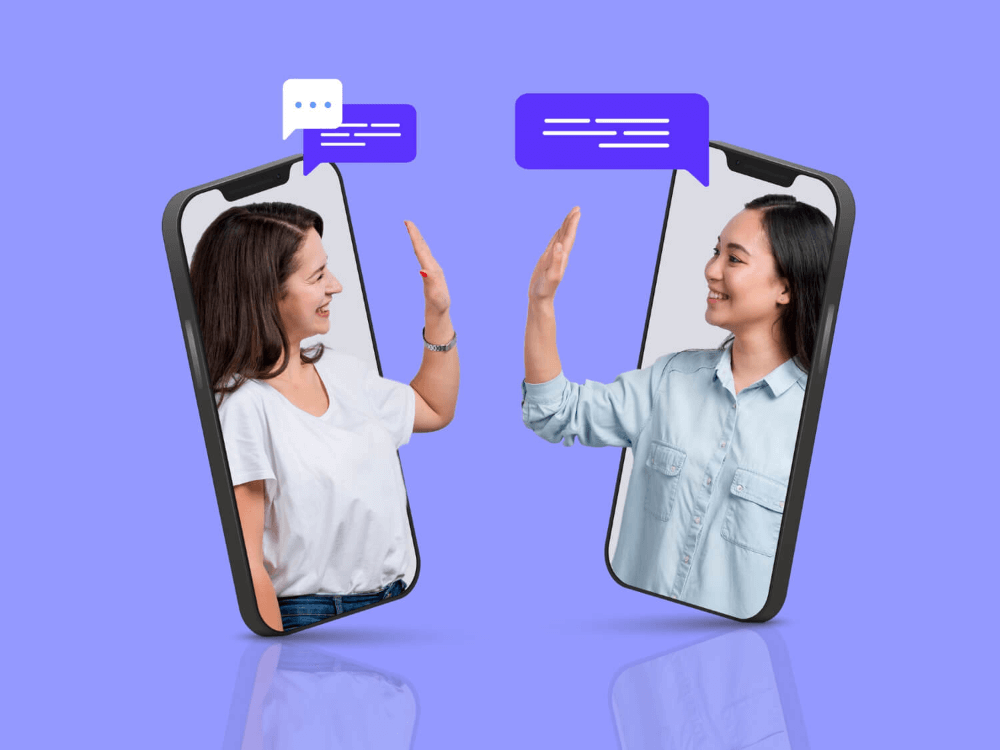
Sending texts is not enough on its own. Businesses need a thoughtful approach to use SMS to improve customer support in a meaningful way.
Start With Consent
Before texting customers, get clear permission. Customers should know what they are signing up for, what kind of messages they may receive, and how they can opt out.
This step supports compliance and builds trust. Customers respond better when messages feel expected and relevant rather than intrusive.
Use SMS for the Right Interactions
Not every support issue belongs in a text conversation. Long technical problems, detailed complaints, and sensitive account matters may require a phone call or email.
However, SMS works extremely well for quick updates, simple actions, and short questions. That is why businesses should treat it as one part of a broader support strategy rather than a total replacement for every other channel.
Keep Messages Short and Clear
Text messages should be easy to read and easy to act on. Therefore, each message should focus on one key point and one clear next step.
Examples include:
- Reply YES to confirm
- Reply 1 to reschedule
- Reply HELP for support
- Reply STOP to opt out
This structure reduces confusion and makes conversations easier to manage.
Combine Automation With Human Support
Automation can significantly improve SMS support. It can send reminders, answer common questions, collect details, and route customers quickly.
However, automation should never block access to a real person. If the issue becomes too specific, too emotional, or too complex, a human agent should step in.
The strongest SMS support experience combines speed with flexibility. Automation handles routine tasks, while live agents take over when empathy or judgment matters more.
Set Expectations Early
Customers often view text messaging as immediate. Because of that, response-time expectations matter.
If your team is not available around the clock, say so clearly. A simple auto-reply can do the job:
“Thanks for texting our support team. We reply Monday through Friday, 8 AM to 6 PM. For urgent issues, please call 800-123-4567.”
This kind of message reduces uncertainty and gives customers another option when timing matters.
Use a Conversational Tone
SMS should sound human. The language should feel direct, clear, and natural while remaining professional.
Avoid stiff or overly formal phrasing. Instead, write the way a helpful person would actually speak.
For example, “You’re booked for Tuesday at 3 PM” sounds clearer and friendlier than “Your appointment has been scheduled successfully.” Likewise, “Need help? Reply HELP and we’ll text you back” feels more useful than “Contact support if additional assistance is required.”
These small changes make SMS feel more approachable, which is one of the channel’s biggest strengths.
Best Practices for Better Two-Way SMS Conversations
A few best practices can make SMS support much more effective.
First, respond quickly, even if the full answer takes longer. Customers may not expect an instant solution, but they usually expect acknowledgment. A short response such as “Thanks for reaching out — we’re checking this now” keeps the conversation active.
Second, personalize messages when they add value. Using a customer’s name, appointment time, or order number can make the message clearer and more relevant. Still, keep it simple.
Third, protect privacy. SMS is convenient, but it is not the right place for highly sensitive personal or financial information. When privacy matters, use text to direct the customer to a secure portal or protected support flow.
Finally, measure outcomes that actually matter. Instead of focusing only on message volume, track response rates, resolution times, customer satisfaction, and the frequency with which SMS reduces the need for phone calls or emails.
Common Mistakes to Avoid
Although SMS can strengthen customer support, a few common mistakes can hurt the experience.
One of the biggest mistakes is sending messages that are too long. Texting works best when messages stay focused and easy to scan.
Another mistake is using SMS only for alerts without giving customers a chance to respond. That limits the channel’s value and makes the experience feel one-sided.
Some businesses also lean too heavily on automation. While automation saves time, it should not replace human help when the issue becomes more complex.
In the same way, failing to set expectations around response times can frustrate customers. If they think texting means instant support but instead receive silence, the experience quickly breaks down.
Lastly, robotic language weakens the conversational feel that makes SMS so effective. Since texting is personal by nature, the tone should feel clear, natural, and helpful.

Final Thoughts
SMS has become one of the most useful tools in modern customer support. It gives businesses a fast and convenient way to communicate while giving customers a simpler way to ask questions, get updates, and resolve routine issues.
More importantly, two-way SMS turns support into a conversation. That shift makes service feel easier, more personal, and more responsive. Instead of forcing customers into slower channels, businesses can meet them where they are and help them take action with less effort.
The best approach is a thoughtful one. Use SMS where speed and simplicity matter most. Keep messages short and actionable. Use automation to support the process, but make human help easy to reach when needed.
When businesses follow that approach, SMS becomes more than a messaging tool. It becomes a better customer support experience.