
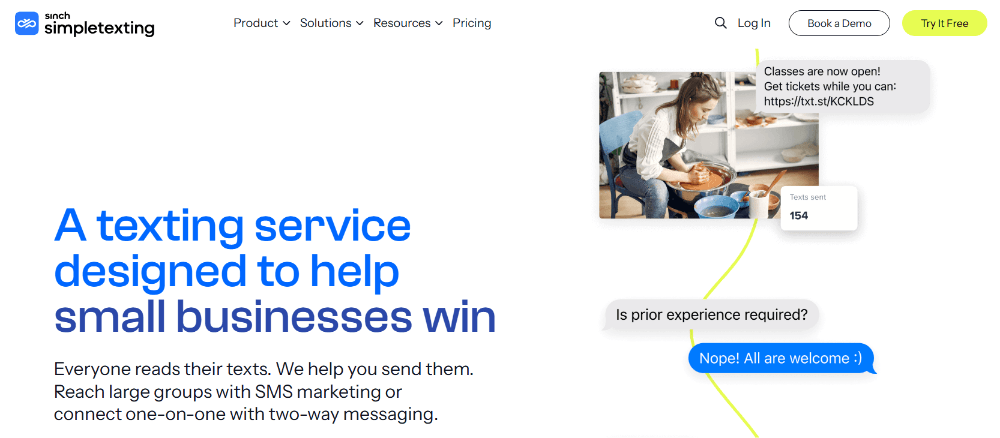
Customers frequently text businesses because they want a quick, convenient answer. However, many companies cannot monitor every incoming message throughout the day. Staff members may be serving customers, attending meetings, handling orders, or responding to conversations across several channels.
SimpleTexting helps businesses close this communication gap through automated replies and two-way SMS messaging. Auto-replies acknowledge customer actions immediately, while the shared inbox allows team members to continue each conversation personally.
As a result, businesses can respond faster without automating the entire customer relationship. Moreover, they can manage mass campaigns, individual conversations, keywords, scheduled messages, and recurring follow-ups from the same platform.
What Is SimpleTexting?
SimpleTexting is a business SMS platform for sending mass text campaigns, receiving replies, managing individual conversations, and automating routine messages. The company says more than 17,000 businesses use its platform for marketing, customer service, internal communication, and operational updates.
Its current messaging features include:
- Mass SMS campaigns
- Private two-way conversations
- Auto-replies and drip campaigns
- SMS and MMS messaging
- Unlimited contacts
- Text-to-join keywords
- Audience segmentation
- Reporting and analytics
- API access
- Mailchimp and Zapier integrations
Therefore, a company can use SimpleTexting for both broad announcements and direct customer communication without maintaining two separate texting systems.
Auto-Replies Give Customers an Immediate Response
An SMS auto-reply is a message that the system sends after a specific trigger. For example, someone might text a keyword, complete a form, join a subscriber list, or contact the business outside office hours.
SimpleTexting’s autoresponders help businesses welcome new contacts, confirm subscriptions, answer common questions, and set response-time expectations. Because the platform sends the reply automatically, customers receive immediate acknowledgment even when an employee cannot respond personally.
A business might use an auto-reply to say:
“Thanks for contacting Greenview Dental. Our office is currently closed, but a team member will reply after 8:00 a.m. tomorrow.”
That short message confirms that the text arrived. Additionally, it tells the customer when to expect a human response.
Common Auto-reply Use Cases Include:
- Welcome messages
- After-hours notifications
- Appointment confirmations
- Lead acknowledgments
- Event registration confirmations
- Frequently asked questions
- Review requests
- Basic product information
Consequently, employees spend less time sending repetitive responses, while customers avoid wondering whether anyone received their message.
Keywords Can Trigger Relevant Automated Answers
SimpleTexting allows businesses to create text-to-join keywords that customers send to a designated number. Each keyword can trigger an automatic confirmation message and add the contact to a relevant list.
For example, a retailer might promote:
“Text SHOES to 833-555-0198 for new arrivals.”
Meanwhile, a restaurant could use MENU, and a property company could use TOUR. Because businesses can create multiple keywords, they can separate subscribers by interest or signup source.
SimpleTexting also supports sub-keywords called triggers. These triggers can automatically answer recurring requests, such as HOURS, LOCATION, CONTACT, or PRICING.
Therefore, customers can retrieve simple information without waiting for an employee. However, the conversation can still move into the inbox when someone needs more detailed assistance.
Autoresponders Can Build Drip Campaigns
SimpleTexting’s autoresponders do more than send one immediate confirmation. Businesses can also create a sequence of messages spaced across several days, weeks, or months.
A basic customer onboarding sequence might look like this:
| Timing | Automated Message |
|---|---|
| Immediately | Welcome the new subscriber |
| Day 2 | Share a helpful guide |
| Day 5 | Introduce a popular service |
| Day 8 | Ask whether the contact needs assistance |
| Day 12 | Send a relevant offer |
Because the campaign runs automatically, every new subscriber receives the same structured introduction. Furthermore, the company can combine autoresponders with recurring texts, scheduled messages, birthday campaigns, and inactivity-based workflows.
Nevertheless, businesses should keep each sequence focused. Too many texts may increase opt-outs, while fewer useful messages can build trust.
Two-Way Messaging Keeps Communication Human
Automated replies work well for predictable questions, but customers often need personalized help. SimpleTexting’s two-way messaging tools let businesses send and receive private SMS conversations through a shared inbox.
Replies to individual messages and mass campaigns appear in that inbox. Team members can then answer customers, use saved templates, attach files, add notes, snooze conversations, or mark resolved requests as complete.
This structure supports several practical conversations:
- Answering product questions
- Confirming appointments
- Providing quotes
- Collecting missing information
- Following up with sales leads
- Resolving delivery problems
- Coordinating employee shifts
- Requesting customer feedback
Importantly, every incoming SMS message is free under SimpleTexting’s current plans. The platform also provides unlimited contacts, which can help businesses manage growing lists without paying separately for every stored subscriber.
When business conversations remain on one employee’s phone, other team members cannot easily see what happened. Additionally, customers may need to repeat their questions when another employee takes over.
SimpleTexting’s inbox includes conversation assignments, private notes, filters, templates, scheduling, and status-management tools. Therefore, employees can coordinate responses without exposing internal discussion to the customer.
For example, a receptionist could receive a billing question and assign it to the accounts team. Meanwhile, the receptionist could leave a private note explaining the customer’s request.
| Inbox Feature | Business Benefit |
| Conversation assignment | Routes questions to the right employee |
| Private notes | Preserves internal context |
| Saved templates | Speeds up common replies |
| Snooze | Returns conversations at a better time |
| Resolved status | Keeps the inbox organized |
| File sharing | Supports documents, photos, and other resources |
Consequently, teams can respond more consistently while maintaining one clear communication history.
Away Messages Set Better Expectations
After-hours messages represent another important form of auto-reply. SimpleTexting allows businesses to turn away responses permanently or schedule them outside selected office hours.
An effective away message should identify the business, acknowledge the request, explain availability, and provide urgent alternatives when appropriate.
For example:
“Thanks for texting BrightCare Pharmacy. We will respond when we reopen at 9:00 a.m. For medical emergencies, please get in touch with emergency services.”
This response does not solve every problem. Nevertheless, it prevents silence and reduces customer frustration.
Templates Help Teams Reply Consistently
SimpleTexting allows users to save and reuse campaign messages, autoresponders, keyword confirmations, and inbox replies.
Templates work particularly well for frequently repeated information, such as:
- Business hours
- Return instructions
- Scheduling links
- Product availability
- Directions
- Payment information
- Service requirements
However, employees should adapt templates when the conversation requires empathy or detailed context. A saved response should speed up communication, not make every customer feel interchangeable.
Integrations Expand Two-Way SMS Workflows
SimpleTexting connects with ecommerce, CRM, scheduling, and automation platforms. Its official automation resources mention integrations with Shopify, WooCommerce, BigCommerce, HubSpot, Drip, and other business tools.
Therefore, a customer action in another system can trigger a relevant text. For instance, a booking platform could send an appointment reminder, while an ecommerce store could issue an order update or abandoned-cart message.
Developers can also use SimpleTexting’s API to send and receive messages, manage keywords, and incorporate customer data into custom workflows.
Why SimpleTexting Stands Out
SimpleTexting stands out because it connects automation with genuine conversation. Autoresponders, keywords, triggers, drip campaigns, scheduled messages, and away replies reduce repetitive work. Meanwhile, the shared inbox, team collaboration tools, templates, attachments, and private notes help employees handle individual needs.
Ultimately, the platform does not force businesses to choose between automation and personal service. Instead, auto-replies can acknowledge customers immediately, answer simple questions, and route interactions efficiently. Then, team members can step in when a customer needs judgment, reassurance, or a more detailed response.
When businesses combine these tools with clear consent, sensible timing, useful content, and fast human follow-up, SimpleTexting can turn routine SMS exchanges into more responsive and valuable customer relationships.