
📑Table of Contents:
- Why Automation Wins in SMS
- The Core Principles Behind Sales-Driving SMS Flows
- Workflow 1: Welcome and New Subscriber Onboarding
- Workflow 2: Browse Abandonment and Product Interest Nudges
- Workflow 3: Cart Abandonment and Checkout Recovery
- Workflow 4: Price Drop and Back-In-Stock Alerts
- Workflow 5: Post-Purchase Cross-Sell and Next-Best Offer
- Workflow 6: Replenishment and Reorder Reminders
- Workflow 7: Review and UGC Requests That Drive Sales Indirectly
- Workflow 8: Loyalty and VIP Milestone Nudges
- Workflow 9: Win-Back for Lapsed Customers
- Workflow 10: Abandoned Booking for Service Businesses
- Preventing Overlap and Message Fatigue
- How to Measure Automation Success
- Common Automation Mistakes That Kill Sales
- Final Thoughts
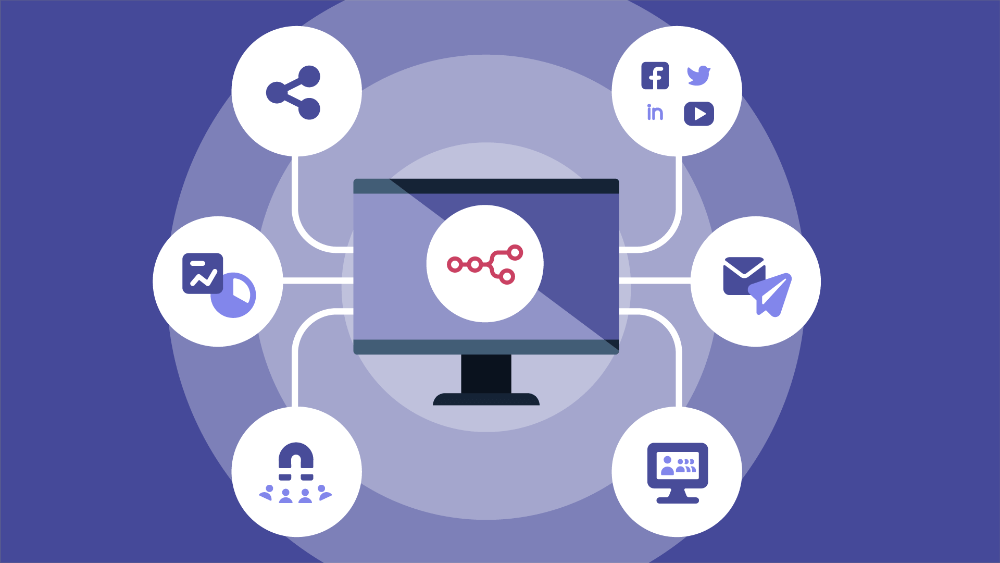
SMS marketing works best when it shows up at the right moment. A perfectly written promo can still flop if it arrives too early or too late. Therefore, automation often becomes the difference between “random texts” and a system that consistently drives revenue.
Automation does not mean sending more messages. Instead, it means sending fewer, smarter messages that match customer intent. When you trigger SMS based on behavior, timing, and lifecycle stage, you naturally remove friction and increase conversions.
This guide explains the SMS automation workflows that drive sales across the customer journey. You will learn what each workflow does, when to trigger it, how to structure messages, and how to avoid the common mistakes that burn lists.
Why Automation Wins in SMS
SMS is immediate. People read texts quickly. As a result, timing has a greater impact on performance than almost any other factor.
Automation solves timing. It reacts to actions like signups, cart abandonment, purchases, and lapses. Therefore, your messages feel relevant rather than intrusive.
Automation also scales. Once you build and test a workflow, it runs consistently without daily manual work. As a result, you can improve performance through small optimizations rather than constantly creating campaigns.
However, SMS automation requires restraint. If you trigger too many flows at once, customers feel overwhelmed. So, the best automation programs prioritize clarity, frequency control, and value.
The Core Principles Behind Sales-Driving SMS Flows
Before we look at specific workflows, you need a few guiding rules.
First, every message should have one goal. One message, one action. This focus increases clicks and reduces confusion.
Second, value should lead. Discounts can help, but utility and relevance often convert just as well.
Third, timing should match intent. A cart reminder should be sent within hours, not days. A win-back message belongs after a meaningful gap, not immediately.
Finally, build stop rules. When a customer converts, they should exit the flow. Otherwise, you waste sends and increase opt-outs.
These principles keep automation profitable and sustainable.
Workflow 1: Welcome and New Subscriber Onboarding
The welcome flow sets the tone. It introduces your brand, sets expectations, and drives the first purchase.
Trigger: SMS opt-in or keyword signup.
Goal: Convert the subscriber into a first-time buyer or take the next step.
A strong welcome flow often includes two to four messages across a few days. The first message confirms subscription and delivers any promised perk. The second message explains value, such as best-sellers or benefits. The third message nudges toward action, often with social proof or a curated recommendation.
Example structure
Message 1: “Welcome to {Brand}. You’ll get early access + restock alerts. Here’s your perk: [link]”
Message 2: “Not sure where to start? Our top 3 picks are here: [link]”
Message 3: “Last day to use your welcome perk. Grab your favorites: [link]”
Because onboarding shapes future engagement, keep it helpful, not aggressive.
Workflow 2: Browse Abandonment and Product Interest Nudges
Browse abandonment targets shoppers who showed interest but did not add to cart.
Trigger: Viewed product or category multiple times within a short window.
Goal: Move the shopper toward the cart or purchase.
This flow works because intent already exists. Therefore, a gentle nudge often drives clicks without discounts.
Timing matters. Send the first message within a few hours while interest stays fresh. Then, if needed, send a second message the next day with added value, such as reviews, fit tips, or stock urgency.
Example messages
“Still looking at {Category}? Here are the customer favorites: [link]”
“Quick heads-up: {Product} is low in stock. Want it before it’s gone? [link]”
Keep personalization subtle. Mention the category or product type rather than overly specific behavior.
Workflow 3: Cart Abandonment and Checkout Recovery
Cart abandonment remains one of the highest ROI SMS automations.
Trigger: Cart created, but checkout not completed.
Goal: Recover revenue fast.
Cart recovery often works best with a short sequence of one to three messages within 24 hours. The first message should focus on convenience. The second can add reassurance. The third can add urgency or a small incentive if needed.
Example structure
Message 1 (1–2 hours): “Your cart is saved. Checkout takes 30 seconds: [link].”
Message 2 (8–12 hours): “Need help choosing? Reply with a question, and we’ll help.”
Message 3 (20–24 hours): “Last chance to grab your items today. Here’s your cart: [link]”
However, frequency control matters. If someone often abandons, cap the number of sequences they receive per week.
Workflow 4: Price Drop and Back-In-Stock Alerts
These alerts convert because customers ask for them. Therefore, engagement stays high, and opt-outs remain low.
Trigger: Inventory returns or price drops for saved items.
Goal: Capture high-intent purchases quickly.
Send alerts immediately. Also, include a direct product link. If inventory is limited, mention it, but keep it honest.
Example messages
“Good news: {Product} is back in stock. Grab it here: [link]”
“Price drop alert: {Product} is now {Price}. Shop now: [link]”
Because these messages feel like service, they build trust while driving sales.
Workflow 5: Post-Purchase Cross-Sell and Next-Best Offer
Post-purchase is a high-attention period. Customers open packages and evaluate the brand. Therefore, thoughtful post-purchase SMS can increase repeat purchases.
Trigger: Purchase completed, then delivery confirmed.
Goal: Increase AOV and drive second purchase.
Start with reassurance, then value, then a relevant recommendation. Avoid immediate upsells right after checkout. Instead, wait until delivery or product usage begins.
Example sequence
Message 1: “Thanks for your order. Tracking updates here: [link]”
Message 2 (after delivery): “Want the best results? Here are quick tips: [link]”
Message 3 (2–5 days later): “Customers often pair {ProductType} with {AddOn}. See picks: [link]”
Cross-sells should follow product logic. Random recommendations reduce trust.
Workflow 6: Replenishment and Reorder Reminders
Replenishment flows drive predictable revenue, especially for consumables.
Trigger: Estimated usage window based on product type or reorder history.
Goal: Make repeat purchases effortless.
Send the first reminder before the customer runs out of time. Then add a second reminder if they do not reorder. Offer subscription options if they exist, but keep the pitch simple.
Example messages
“Running low on {ProductType}? Reorder in 2 clicks: [link]”
“Want to save time? Set it to auto-ship here: [link]”
Because the message matches a real need, these flows often convert without discounts.
Workflow 7: Review and UGC Requests That Drive Sales Indirectly
Reviews drive conversion across your site. Therefore, collecting reviews increases future sales.
Trigger: Delivery confirmed, plus a few days for usage.
Goal: Capture reviews, photos, and feedback.
Keep the ask small. A quick rating request works. Then follow up with a review link to earn high ratings. For low ratings, route to support to resolve issues.
Example messages
“How’s your {Product}? Reply 1–5.”
If 4–5: “Amazing. Want to leave a quick review? [link]”
If 1–3: “Sorry to hear that. Reply with what happened, and we’ll fix it.”
This flow improves trust signals and reduces returns.
Workflow 8: Loyalty and VIP Milestone Nudges
Loyalty programs often feel invisible. SMS makes them feel immediate.
Trigger: Points earned, milestone reached, or reward nearing.
Goal: Increase repeat purchases and retention.
Messages like “You’re $10 away from a reward” create a clear next step. Early access messages also drive urgency without heavy discounting.
Example messages
“You’re 80% to your next reward. Want to hit it today? [link]”
“VIP early access is live for the next 2 hours. Shop now: [link]”
Because loyalty nudges reward behavior, they strengthen long-term value.
Workflow 9: Win-Back for Lapsed Customers
Win-back flows bring customers back after they go quiet.
Trigger: No purchase or engagement for a defined period.
Goal: Reactivate without dependence on training discount.
Start with value-based reasons to return, such as new arrivals or improved products. Then, if needed, add a modest incentive. Also, offer preference controls so customers can reduce frequency instead of opting out.
Example sequence
Message 1: “We added new favorites in {Category}. Want a quick look? [link]”
Message 2: “Still interested? Here’s free shipping if you order by tonight: [link].”
Message 3: “Want fewer texts? Choose what you want here: [link]”
Win-back works best when you space messages and keep the tone respectful.
Workflow 10: Abandoned Booking for Service Businesses
Not every brand sells products. Service businesses also benefit from automation.
Trigger: Started booking but did not confirm.
Goal: Convert to an appointment.
Keep the message helpful. Offer options. Provide a direct booking link.
Example messages
“Still want to book with us? Here’s your link to finish in 1 minute: [link]”
“Want help choosing a time? Reply with your preferred day.”
This flow reduces friction and fills calendars.
Preventing Overlap and Message Fatigue
Automation can backfire when flows collide. A customer might trigger a browse flow, a cart flow, and a win-back flow in the same week. Therefore, you need guardrails.
Use frequency caps across all flows. Set priority rules so high-intent flows win. For example, cart recovery should pause lower-priority promos.
Also, add exit rules. Once someone buys, stop cart messages. Once someone opts out, stop everything immediately.
These rules protect trust and deliverability.
How to Measure Automation Success
Measure each flow on its purpose. For cart recovery, track recovered revenue and conversion rate. For replenishment, track reorder rate and time-to-reorder. For loyalty, track repeat purchase lift.
Also, track opt-out rates by flow. If opt-outs spike, revise timing, targeting, or value.
Finally, track revenue per subscriber over time. Automation’s biggest impact often shows up in customer lifetime value, not in a single campaign.
Common Automation Mistakes That Kill Sales
Many brands automate too soon without solid segmentation. Others send too many messages too quickly. Some rely on discounts instead of value.
Another mistake involves stale flows. Products change. Offers expire. Links break. Therefore, audit automation quarterly.
Also, many teams forget human support. If you invite replies but respond slowly, trust drops fast.
Fix these mistakes, and automation becomes a growth engine rather than a churn engine.
Final Thoughts
SMS automation drives sales because it matches timing with intent. It turns one-time campaigns into consistent revenue systems. It also reduces friction across the customer journey, from first opt-in to repeat purchase.
Start with the highest-impact flows first: welcome, cart recovery, and post-purchase. Then add replenishment, loyalty, and win-back flows as your program matures.
When you build with restraint, relevance, and clear exit rules, your SMS automation will drive sales while protecting trust.