
📑Table of Contents:
- Why SMS Works Better Than Most Channels for Scheduling
- Define the Two Problems You’re Solving
- Build the Foundation: Consent and Expectations
- Use Two-Way Confirmations to Create Commitment
- The Best Reminder Cadence to Reduce No-Shows
- Add Pre-Visit Instructions to Prevent “Soft No-Shows”
- Reduce Cancellations With Clear, Friendly Policies
- Create an SMS Waitlist for Last-Minute Fills
- Use “First-Reply Wins” Rules to Keep It Fair
- Segment Your Fill List to Avoid Wasting Sends
- Use Two-Step Offers for High-Demand Slots
- Automate the Workflow but Keep the Tone Human
- Templates You Can Use Right Away
- Metrics That Prove SMS Is Working
- Common Mistakes That Reduce No-Shows and Fills
- Final Thoughts
No-shows hurt twice. First, you lose revenue for the empty slot. Then, you waste staff time and capacity you already paid for. Meanwhile, late cancellations create the same problem, just with less warning. Therefore, appointment-based businesses need a system that prevents missed appointments and quickly fills gaps when they occur.
SMS is one of the best tools for this job. Texts get seen fast. They also make it easy for clients to confirm, reschedule, or claim an opening. However, SMS only works when you design the workflow with respect, timing, and clear next steps.
This guide shows how to use SMS to reduce appointment no-shows and backfill last-minute openings. It includes practical strategies, recommended timing, and ready-to-use templates you can adapt for your business.
Why SMS Works Better Than Most Channels for Scheduling
Scheduling depends on speed and convenience. Clients often ignore email reminders, especially when inboxes overflow. Phone calls can help, but they require staff time and usually go to voicemail. Therefore, the ideal channel must reach people quickly and allow fast responses.
SMS fits those needs. Most people check texts within minutes. Also, texting feels easy because it does not require a call or an app. As a result, confirmation and rescheduling rates usually improve when businesses use two-way SMS.
Additionally, SMS feels personal. That can be a strength when the message is helpful. However, it becomes a weakness if messages feel spammy or too frequent. So, the goal is to use SMS as a service channel first, then as a fill tool second.
Define the Two Problems You’re Solving
Before you build workflows, clarify the two core problems.
Problem one is no-shows. Clients forget, get distracted, or feel uncertain about policies. Therefore, your job is to reduce forgetfulness and increase commitment.
Problem two is idle capacity. Cancellations happen, and life happens. Therefore, your job is to create a fast, fair system that fills openings without chaos.
When you separate these problems, you can design SMS flows that feel orderly rather than frantic.
Build the Foundation: Consent and Expectations
Appointment texting works best when clients expect it. So, collect permission at booking.
Keep the opt-in message simple. Tell clients they will receive reminders and schedule updates. Also, tell them how to opt out. If you plan to send promotional messages too, separate that consent when needed.
Next, set expectations about frequency and timing. For example, “We’ll text you 2 reminders before your appointment.” This reduces surprise and lowers opt-outs.
Finally, confirm the booking by SMS right away. This first message creates trust and reduces future confusion.
Use Two-Way Confirmations to Create Commitment
Confirmations reduce no-shows by creating a micro-commitment. If a client replies “YES,” they mentally lock in the appointment.
Therefore, build confirmations into your workflow.
A strong confirmation text includes the time, location, and a simple reply option. It also consists of a reschedule path so clients do not ghost when plans change.
Template “{BusinessName}: You’re booked for {Day} at {Time}. Reply YES to confirm, or R to reschedule.”
This message works because it reduces friction and offers an escape hatch.
The Best Reminder Cadence to Reduce No-Shows
Timing matters. One reminder helps, but a well-timed sequence helps more.
A common cadence includes:
- A reminder 72 hours before
- A reminder 24 hours before
- A reminder 2–4 hours before
However, you should adjust based on the appointment type. High-prep appointments may need earlier reminders. Routine appointments may need fewer touches.
Also, respect quiet hours. Avoid sending texts early in the morning or late at night. If you serve multiple time zones, localize send times.
Because timing is tone, respectful timing improves trust and response rates.
Add Pre-Visit Instructions to Prevent “Soft No-Shows”
Not every no-show is intentional. Many clients skip because they feel unprepared.
For example, they may not know where to park. They may not know what to bring. They may not know how long it takes. Therefore, simple pre-visit instructions reduce anxiety and increase attendance.
Template “{BusinessName}: Quick heads-up for tomorrow: arrive 10 min early and bring {Item}. Directions: {Link}”
This message turns a reminder into a helpful service touchpoint.
Reduce Cancellations With Clear, Friendly Policies
Clients cancel at the last minute when they don’t understand the policies. They also cancel late when rescheduling feels hard.
Therefore, include policy reminders gently and early. Also, offer an easy reschedule option.
Template “{BusinessName}: If you need to move your appointment, reply R anytime. Also, changes within 24 hrs may have a fee.”
This approach protects revenue while staying respectful.
Create an SMS Waitlist for Last-Minute Fills
The fastest way to fill cancellations is a waitlist. A waitlist turns idle slots into a controlled offer system.
Invite clients to join the waitlist at the time of booking or after a missed appointment. Then store preferences such as day, time, and service type.
When a slot opens, text the most likely matches first. Also, set a clear time limit for responding.
Template “{BusinessName}: Opening just popped up today at {Time}. Want it? Reply YES within 10 minutes.”
This message works because it creates urgency with a fair rule.
Use “First-Reply Wins” Rules to Keep It Fair
Last-minute fills can feel unfair if clients think you play favorites. Therefore, set clear rules.
Use language like “first reply wins” and “we’ll confirm once reserved.” This reduces disputes and keeps your staff out of arguments.
Template “{BusinessName}: Last-minute spot at {Time}. Reply YES to claim. First reply wins, and we’ll confirm.”
Clear rules reduce confusion. Also, they speed up decision-making.
Segment Your Fill List to Avoid Wasting Sends
Not everyone wants last-minute appointments. Some people need days of notice. Therefore, segmentation improves fill speed and reduces annoyance.
Segment by:
- Preferred days and times
- Service type
- Distance or location
- Past behavior, such as “often accepts short notice.”
- Client status, such as VIP or frequent visitor
Then send fill texts only to likely takers. This improves conversion and reduces opt-outs.
Because relevance drives engagement, segmentation protects your list.
Use Two-Step Offers for High-Demand Slots
Some openings are high-value. For example, prime evening times fill fast. However, you may want to reserve them for certain clients or service types.
Use a two-step process.
- Step one: text a small priority group first.
- Step two: if it doesn’t fill, expand to the broader waitlist.
This method efficiently fills slots while preserving premium availability.
Automate the Workflow but Keep the Tone Human
Automation makes this system scalable. However, tone still matters.
Use short sentences. Use clear transitions like “so,” “however,” and “therefore.” Also, keep your brand name visible so clients do not wonder who sent them the message.
Avoid overuse of urgency language. Instead of “HURRY,” say “If you want it, reply YES in 10 minutes.” This sounds calm and professional.
When tone stays helpful, clients see these texts as service, not spam.
Templates You Can Use Right Away
- Booking confirmation “{BusinessName}: You’re booked for {Day} {Time}. Reply YES to confirm or R to reschedule.”
- 72-hour reminder “{BusinessName}: Reminder for {Day} at {Time}. Reply YES to confirm, or R to reschedule.”
- 24-hour reminder with directions “{BusinessName}: See you tomorrow at {Time}. So you’re set, here are directions: {Link}. Reply YES to confirm.”
- Same-day reminder “{BusinessName}: Today at {Time}. If you’re running late, reply L, and we’ll help.”
- Cancellation response “No problem. Therefore, I can reschedule you fast. Reply 1 for this week or 2 for next week.”
- Waitlist invite “Want last-minute openings by text? Reply WAITLIST and tell us your best days.”
- Last-minute fill offer “Opening today at {Time}. Reply YES within 10 minutes to claim. First reply wins.”
- Confirmation after claim “Confirmed. You’re booked for today at {Time}. Reply HELP if you need anything.”
These templates work because they are direct, two-way, and low-friction.
Metrics That Prove SMS Is Working
To improve, track outcomes.
Track confirmation rate. Track the no-show rate by service type. Track reschedule lead time. Also, track the cancellation fill rate.
For last-minute fills, track time-to-fill and acceptance rate by segment. This reveals which clients are most responsive to short notice.
Also, track opt-outs. If opt-outs rise, reduce frequency and improve targeting.
Because these metrics connect directly to revenue, they make SMS easy to justify.
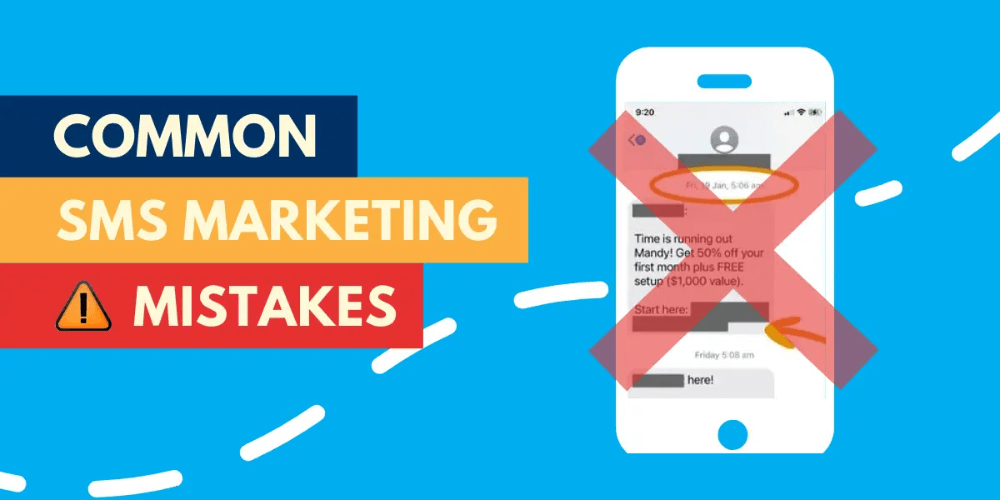
Common Mistakes That Reduce No-Shows and Fills
Some businesses send reminders but do not allow replies. That forces clients to call, so they ghost instead.
Others send too many reminders. That creates irritation and opt-outs.
Some businesses also text last-minute openings to everyone. That wastes sends and makes the program feel noisy.
Finally, many businesses forget to confirm after a client claims an opening. That creates confusion and double-booking risk.
Avoid these mistakes, and your SMS system stays clean and effective.
Final Thoughts
SMS reduces no-shows and fills last-minute openings by addressing the real issue: friction. It makes it easy to confirm. It makes it easy to reschedule. And it makes it easy to claim an opening quickly.
Start with consent and expectations. Add two-way confirmations. Then build a segmented waitlist with fair “first-reply wins” rules. Over time, tune your timing and targeting using simple metrics.
When you treat SMS as a scheduling service, not a marketing blast, you protect trust while increasing utilization and revenue.